
MultiWM is a continuation of the original Tiling Helper by U2X1.
MultiWM is a Windhawk mod instead of a standalone app. To run it, download Windhawk here.
A lightweight, low-cortisol window manager for Windows 11 with true per-virtual-desktop layouts - including floating - and simple, predictable controls.
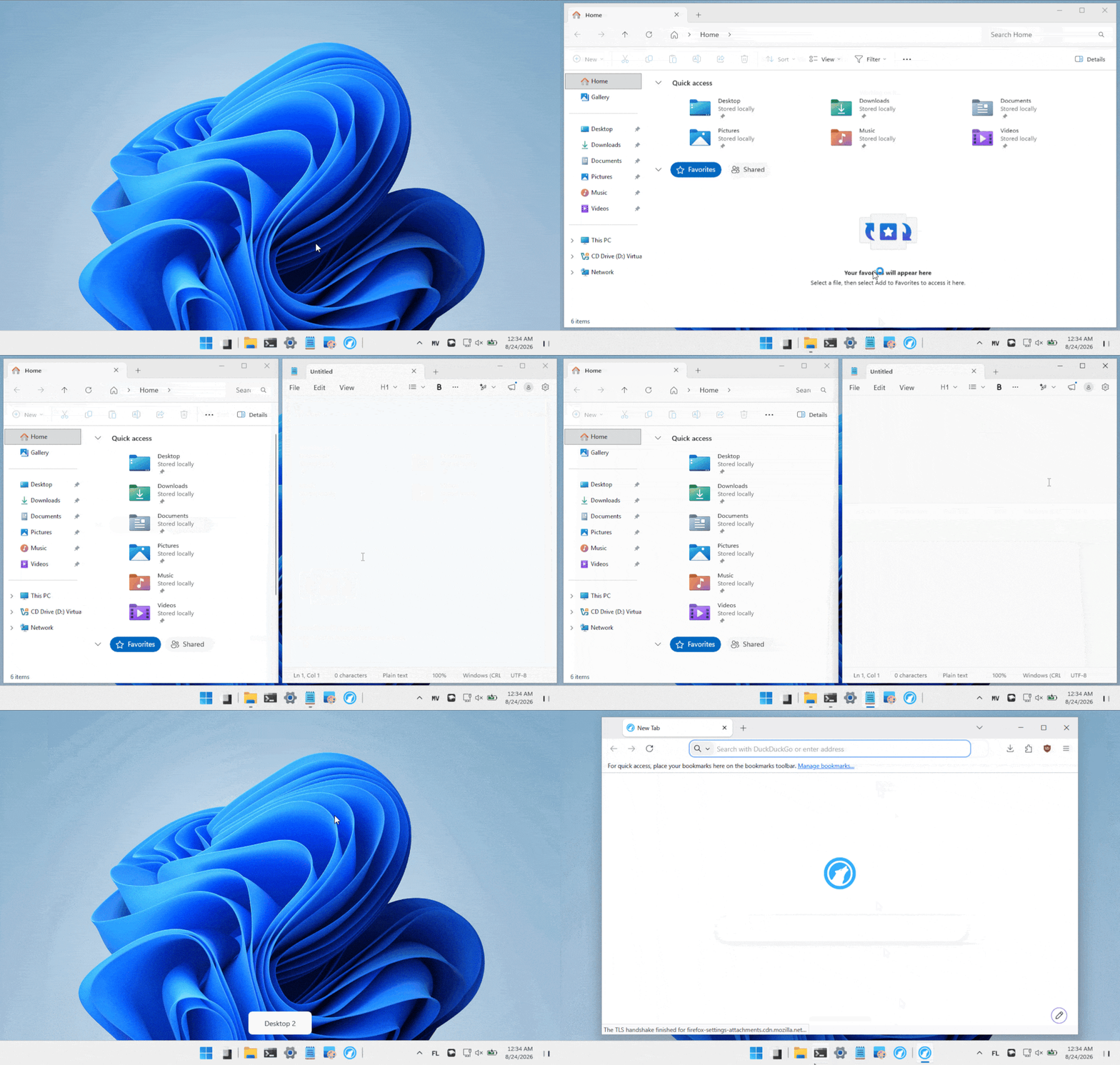
- This repository is used to store the source code of MultiWM only. Contributions are welcome.
- Source amalgamation in this project is done automatically through WHAM. Download WHAM on VSCode Marketplace.
- MultiWM's virtual-desktop notification integration is based on Taskbar Desktop Indicator by Simon Benedict (MIT).
- First-class floating - use Floating as a whole-workspace layout or float individual windows while retaining useful geometry.
- Automatic or Manual management - let MultiWM continuously discover and migrate windows, or keep explicitly tiled groups under your control.
- True virtual-desktop layouts - uses Windows' existing virtual desktops instead of implementing a separate desktop system.
- Event-driven - changes are signaled through native events rather than continuous polling.
Windhawk builds a mod from one source file. src/multiwm/multiwm.cpp holds the mod's
metadata and settings, and includes the headers below in a fixed order; WHAM
combines them into output/multiwm/multiwm.wh.cpp. Each header is a chapter of that one
file, so build src/multiwm/multiwm.cpp rather than a header on its own.
src/
  multiwm/
    multiwm.cpp   Windhawk metadata, settings schema, entry points, include order
    core/         shared types, settings, messages, WM thread state
    model/        Workspace and WorkspaceRepository
    layout/       rectangle math, constraint planning, resize learning
    placement/    floating geometry, applying layouts, conformance leases
    reconcile/    discovery, ownership repair, window routing and overflow
    commands/     hotkey/tray commands and drag/resize gestures
    platform/     Windows APIs: windows, monitors, WinEvents, virtual desktops
    app/          settings loading, tray UI, overlays (drag preview, toasts),
                  diagnostics, WM thread lifecycle
    windhawk/     Windhawk's standard tool-mod launcher
  companion/      MultiWM Companion entry point, snapshot reader and show hooks
  shared/         rule matching, companion snapshot layout, geometry and size limits
tests/            regression suites (run with tests/run.ps1)
Start with docs/ARCHITECTURE.md for how the pieces fit together, then CONTRIBUTING.md for coding rules, units, the glossary, and testing.
- Floating
- Master + Stack (vertical or horizontal)
- Dwindle
- BSP (new and restored windows split the focused or biggest tile, trying both directions, then each other tile until one fits, before going to Overflow; closing or minimizing a window gives its space to its neighbour)
- Columns / Rows
- Monocle
Move a tiled window to float it or swap it with the window underneath. In BSP, drop near an edge to split the target tile in that direction, or in the center to swap. Adaptive dividers can make room as long as the dragged pane overlaps the requested edge of the original tile. The preview fills the destination of the dragged window and outlines the destination of the other window. App icons identify each destination, and App Icon Size controls their size. When a drop would snap the dragged window back, both shapes mark its original tile. Adjust BSP Split Edge Size under Window Behavior and customize the hint under Appearance > Drag Preview in Windhawk. With edge zones enabled, windows sharing a divider rotate the split on perpendicular edge drops. The rest of the tile swaps them. Each window carries its saved share.
By default, hotkeys are available for tiling (Alt+T), changing layouts (Alt+L), running the layout action (Alt+M, rotates the focused split in BSP or promotes the focused window in other tiled layouts), moving windows through the logical order (Alt+, / .), resizing the focused window (Alt+= / - / 0), floating a window (Alt+F), and switching between Automatic and Manual management (Alt+R). If another program already uses one of these shortcuts, a toast names it; choose a different key or modifier in the hotkey settings.
A small tray indicator shows the active workspace layout and provides quick access to layouts and management mode.
MultiWM Companion is a separate mod that reduces opening and restoration jumps in Automatic mode. It reads MultiWM's published rectangles, including your gap and insets, and prepares a window before supported show/restore operations. In Manual mode it passes calls through.
Restore hints use the window's saved slot and weights, cached size limits, and measured resize borders. New windows also respect live minimum/maximum sizes and DPI scaling. Definite local overflow floats can be centred early; general geometry-based overflow and routing to another monitor can still need correction. Known tiled windows shown on another desktop or monitor can use that workspace's insertion tile; explicitly floated windows retain their treatment. Hidden arrivals follow the configured destination insertion position, including after focus. A new window the companion moves onto its tile keeps the frame the app asked for on the window, so floating it later (Alt+F, a drag, the Floating layout) still uses the app's own size rather than the tile. Both mods must use snapshot ABI major 6: update MultiWM to 1.16.1 and Companion to 0.3.2 together. Older major versions give no companion hints.
Build the companion separately; WHAM produces
output/companion/multiwm-companion.wh.cpp. The companion requires a running
MultiWM and does not replace its membership, layout or conformance handling.
For runtime measurements, configure Write Diagnostic Report in the hotkey settings and use the shortcut. Reports include companion ABI/liveness state and rebuild costs. See the plan for known limitations and the remaining live-check checklist.